TikTok Video Downloader Without Watermark
Paste a public TikTok link to save the video. When a no-watermark version is available for the post, it appears in the result.
- Video
- HD when available
- Photos and ZIP
- MP3 audio
No TikTok password is needed. Only save content you have permission to use.
Save TikTok videos, photos and audio online
SaveMyClip is a browser-based TikTok downloader. Copy the link of a public post, paste it above and press Download. The page checks the link and shows the files that are available for that post.
Depending on the post, you may get a video file (with an HD version when TikTok offers one), the photos from a slideshow, or the audio track. Some posts are not supported, and quality can vary. The steps below work the same on a phone, tablet or computer.
How to download a TikTok video
Four steps, no app and no sign-in.
-
Open the TikTok post
Open TikTok in the app or a browser and find the public video or photo post you want. Open the post itself, not a profile or sound page.

-
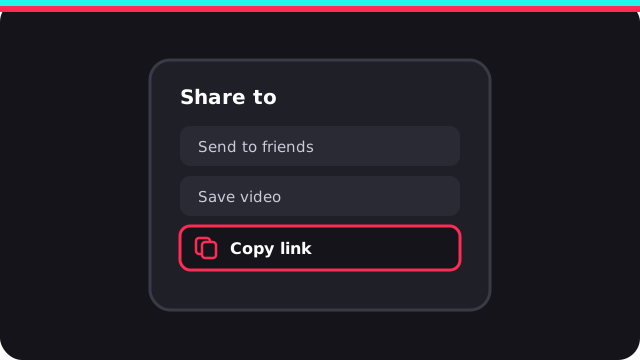
Copy the post link
Tap or click Share, then choose Copy link. The exact position of these buttons can differ between app versions and devices.
-
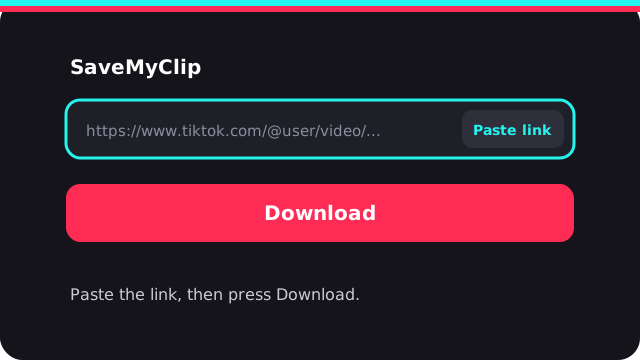
Paste the link and press Download
Go back to SaveMyClip and paste the link into the link field. The Paste link button works when your browser allows clipboard access, or you can paste by hand. Then press the separate Download button.
-
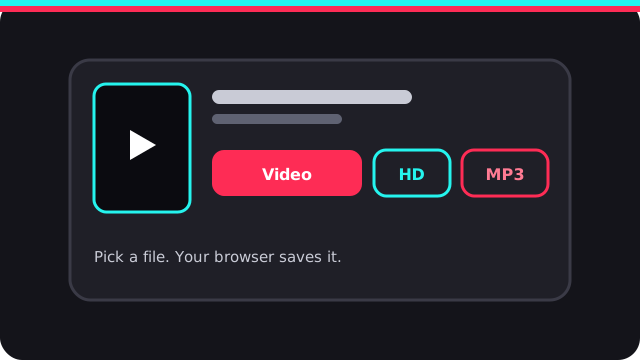
Pick a file to save
When the post is supported, a result card shows what is available for it: video, HD video, photos with a ZIP, or MP3. Choose one and your browser saves it.
What you can save from a TikTok post
TikTok video, no watermark and HD
For a supported video post, SaveMyClip can show a video download and, when the source has it, an HD version. File size and quality depend on the original upload.
TikTok photos and slideshows
For photo posts you get a preview of every image with its own download link, plus a Download All Photos (ZIP) button to save the whole set at once.
TikTok audio as MP3
If the post has a separate sound track, an MP3 button appears with the other options. Not every post has one, and the tool cannot create audio that the source does not provide.
Use it on mobile or desktop
Android and iPhone
Copy the link in the TikTok app, open SaveMyClip in your mobile browser, paste it and press Download. Follow your browser's prompt to save or open the file.
Windows, Mac and Linux
Copy the post link in your browser, open this page, paste the link and press Download. Choose a save location if your browser asks.
TikTok link not working? Try these fixes
- Use a post link. Paste the link of one video or photo post, not a profile, search page or sound page.
- Check that it is public. Private, deleted, age-restricted or region-locked posts may not work.
- Copy the link again. Use Share, then Copy link, and paste the new URL.
- Give it a moment. Keep the page open while the link is processed. Slow connections can take longer.
- Test another post. If a second public post works, the problem is with the first post.
How to save a TikTok video without the watermark
TikTok adds its logo and username to videos saved from the app. For many public posts a clean version without that overlay is available, and this page shows it in the result when it exists. It is not offered for every post, so the result card lists only what was found for your link.
Open the video in TikTok, tap Share and choose Copy link. Paste the link in the box at the top of this page, press Download and pick the video file you want. Videos from private accounts cannot be downloaded.
Want only the pictures or the sound? See the TikTok photo downloader or TikTok to MP3, or go to the main TikTok downloader.
TikTok downloader FAQ
How do I download a TikTok video without watermark?
Copy the link of a public TikTok video from the Share menu, paste it into the box at the top of this page and press Download. If a no-watermark version is available for that post, it is shown in the result.
Is the no-watermark version always available?
No. It appears only when the source provides it. For some posts you may see just the standard video, and the result card shows only what was found for your link.
Will the video be HD?
HD is offered when the post provides it. The saved file cannot be sharper than the version available for that post.
Do I need a TikTok account or password?
No. SaveMyClip never asks for your TikTok password. It works with links to public posts only.
Why is my TikTok link not working?
The post may be private, deleted, age-restricted or unavailable in some regions. Check that you copied the link of one specific video, then copy it again from the Share menu and retry.
Does it work on iPhone and Android?
Yes. It runs in any modern mobile or desktop browser, so there is nothing to install. Where the file is saved depends on your browser and phone settings.
Can I reuse a video I downloaded?
Only if you own it or have permission from the creator. Follow TikTok's terms and the copyright rules where you live.
Respect creators
SaveMyClip is an independent third-party tool and is not affiliated with TikTok, ByteDance or Douyin. Respect copyright, privacy and platform rules, and reuse content only when you have the rights or permission to do so.
Read our Terms of Service and Privacy Policy. Rights holders can send requests through our DMCA page. For TikTok's own features, see the official TikTok Help Center.